The best AI art tools are like Midjourney v7, Adobe Firefly, and FLUX. 1.1 Pro creates high-quality images from simple text descriptions. These platforms help artists, marketers, and creators generate photorealistic pictures, graphic designs, and digital illustrations instantly. Top options offer unique benefits, including commercial safety, precise text rendering, or advanced canvas editing controls. Whether you need a free AI art generator for quick social media posts or a professional platform for marketing campaigns, the right software will match your specific creative goals, budget, and technical skill level perfectly.
What Are Generative Art Tools?
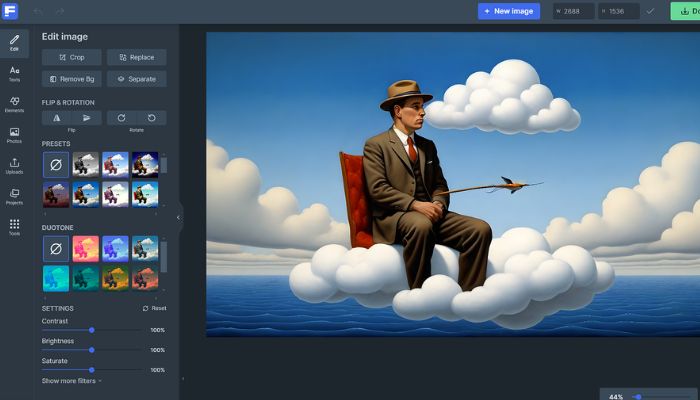
Many people wonder how computers create complex paintings or realistic photos from simple words. The answer lies in generative art tools that use deep learning models to turn human prompts into pixels.
I spent over five years working in digital design studios testing every major image generation system. These programs analyze millions of images to understand styles, textures, lighting, and shapes.
| HOW AI ART GENERATORS WORK | ||
| 1. The Prompt | 2. The AI Model | 3. The Output |
|---|---|---|
| You type simple words describing your creative idea | The system reads the text and forms shapes from noise | A fresh, unique digital asset appears in seconds |
A high-quality generator does not simply copy and paste existing pictures from the internet. The system builds entirely new visuals from scratch based on your instructions.
Modern platforms make it easy for anyone to create professional graphics without expensive camera gear or drawing tablets. You simply describe your vision, and the computer does the heavy lifting.
The Ultimate Guide to the Best AI Art Tools
Selecting the ideal picture software depends heavily on your specific project needs and financial plan. The current digital market provides excellent choices for weekend creators and full-time studio teams alike. You get the highest quality artwork when you choose an application built for your exact design goals.
Certain programs perform best for detailed fantasy illustrations, while alternative software packages focus on clean corporate graphics and presentations.
Top Options for Professional Creative Workflows
Enterprise teams need consistency, high resolution, and legal safety when publishing visual content. This is where professional-grade AI art tools provide massive value for businesses.
Adobe Firefly stands out because the platform trains its models on licensed content and public domain images. This approach ensures your final graphics are entirely safe for commercial marketing materials.
Midjourney v7 offers the highest quality for dramatic lighting, cinematic compositions, and artistic textures. Creators access it through a web interface or Discord to build stunning concepts.
FLUX.1.1 Pro delivers incredible speed and near-perfect human anatomy, which saves hours of manual touch-up work. These premium options give businesses complete control over their branding assets.
You may also read :- How I Could Afford My First Original Artwork
Excellent Choices for Free AI Art Generator Platforms
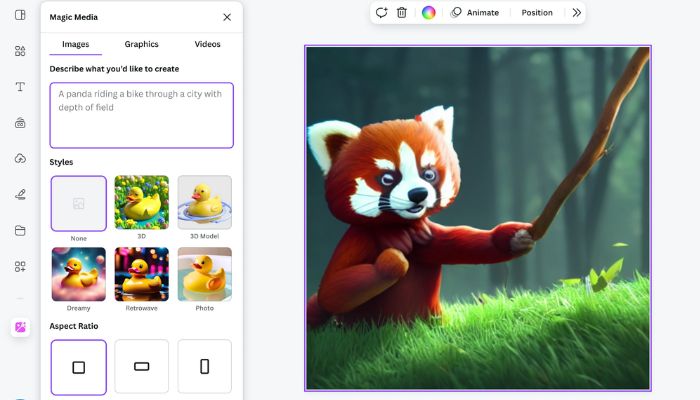
You do not need a large budget to start exploring digital creation. Several high-performing systems offer a free AI art generator tier for everyday users.
Microsoft Designer provides excellent daily credits to create social media graphics, posters, and blog headers. The simple interface allows beginners to design clean visuals without a steep learning curve.
Canva AI integrates image generation directly into its classic template editor. This setup lets you create an image, add text, and format a presentation all in one workspace.
Stable Diffusion 3.5 offers open-weight models that you can download and run locally on your own computer. This option costs nothing and keeps your creative work entirely private.
Comparison of Leading Digital Generation Platforms
The table below breaks down the top software options to help you choose the best fit for your workflow.
| Tool Name | Best For | Free Tier Available? | Key Advantage |
| Adobe Firefly | Commercial safety and editing | Yes (Limited credits) | Seamless Photoshop integration |
| Midjourney v7 | Cinematic and artistic styles | No | Unmatched visual quality |
| FLUX.1.1 Pro | Realism and speed | Yes (Via third-party APIs) | Perfect rendering of human hands |
| Ideogram 2.0 | Typography and clear text | Yes | Reads words inside images correctly |
| Canva AI | Marketing layouts and templates | Yes | All-in-one graphic design space |
Step-by-Step Guide to Writing Perfect Image Prompts
Your final image quality depends heavily on how you talk to the computer. Follow this proven structure to get predictable results every time.
1. Anchor Your Central Subject First Every great prompt kicks off with a solid, unambiguous noun. Clearly state the exact individual, object, or animal that needs to take center stage in your frame. Giving the generator a concrete focal point prevents the background from swallowing your main idea.
2. Layer in Vivid, Specific Textures Once the core is set, flesh it out with descriptive details. Instead of leaning on empty filler words like "stunning" or "gorgeous," point out exact colors, clothing items, facial expressions, and immediate environmental elements. Concrete details give the rendering engine real substance to work with.
3. Dictate the Cinematic Lighting and Vibe The way you illuminate a scene dictates its entire emotional weight. Don't leave this to chance—specify your light source or the exact hour of the day. Introducing concepts like "late afternoon golden hour" or "harsh, high-contrast neon studio rigs" completely alters the final atmosphere.
4. Lock Down Your Visual Medium Conclude by defining the artistic style to dictate the overall texture and finish. Explicitly calling for a "grainy 35mm film snapshot," a "textured classical oil painting," or a "sharp, minimalist vector graphic" provides clear guardrails for the final aesthetic look.
Essential Features for Modern Graphic Design
The latest generation of creative software includes advanced editing tools that go far beyond basic text-to-image features. These options allow you to refine existing pictures easily.
Understanding Generative Fill and Expand
Generative Fill lets you highlight a specific area of an image and change it using text. For example, you can select a model's shirt and change the color from blue to red instantly.
Generative Expand allows you to uncrop an image by pulling the outer borders wider. The computer automatically generates matching scenery to fill the new outer space seamlessly.
The Importance of Style Consistency
Modern workflows require matching visuals across entire marketing campaigns or storyboards. Tools like getimg.ai offer 'Elements' to lock in specific characters, color palettes, and styles.
This feature ensures that your character looks the same in every single scene you generate. Brand teams use this consistency to build recognizable visual identities across multiple platforms.
How to Set Up an Offline Local Studio
Some creators prefer absolute privacy and zero subscription fees for their production work. You can run open-weight models directly on your desktop hardware.
Download a friendly desktop app like DiffusionBee to handle the background technical setup automatically. Ensure your computer has a dedicated graphics card with at least 8GB of video memory.
Local generation ensures your source prompts and final creations never upload to cloud servers. This approach gives independent artists complete freedom to experiment without content restrictions.
How do I upscale my final images for high-quality printing?
Many platforms include built-in upscaling buttons that increase resolution automatically. You can also use dedicated tools like Magnific to add rich textures and sharp details for large prints.
For a deeper look into how these advanced systems achieve hyper-realistic details, you can watch this comparison of the most realistic AI image generators. This video breaks down how specific models solve different parts of the image creation process.
Frequently Asked Questions
Which option offers the best legal safety for commercial business projects?
Adobe Firefly provides excellent legal protection for commercial work. The company trains this specific tool using licensed stock assets and public domain files to completely avoid copyright problems.
Can I test these premium creative programs without spending money?
Yes, popular websites like Microsoft Designer and Canva give users free daily credits. You can also experiment with advanced generation models for zero cost on public web playgrounds.
Why do some digital tools scramble letters when writing text?
Computers see pictures as groups of colorful dots instead of actual words, which creates spelling mistakes. You should choose specialized programs like Ideogram 2 or Imagen 3 if your project needs perfectly clear lettering.
Do creators need to buy a powerful computer to run these programs?
No, you do not need expensive hardware because the heavy work happens on remote cloud servers. A standard web browser and a steady internet connection will let you use tools like Midjourney or Canva easily.